
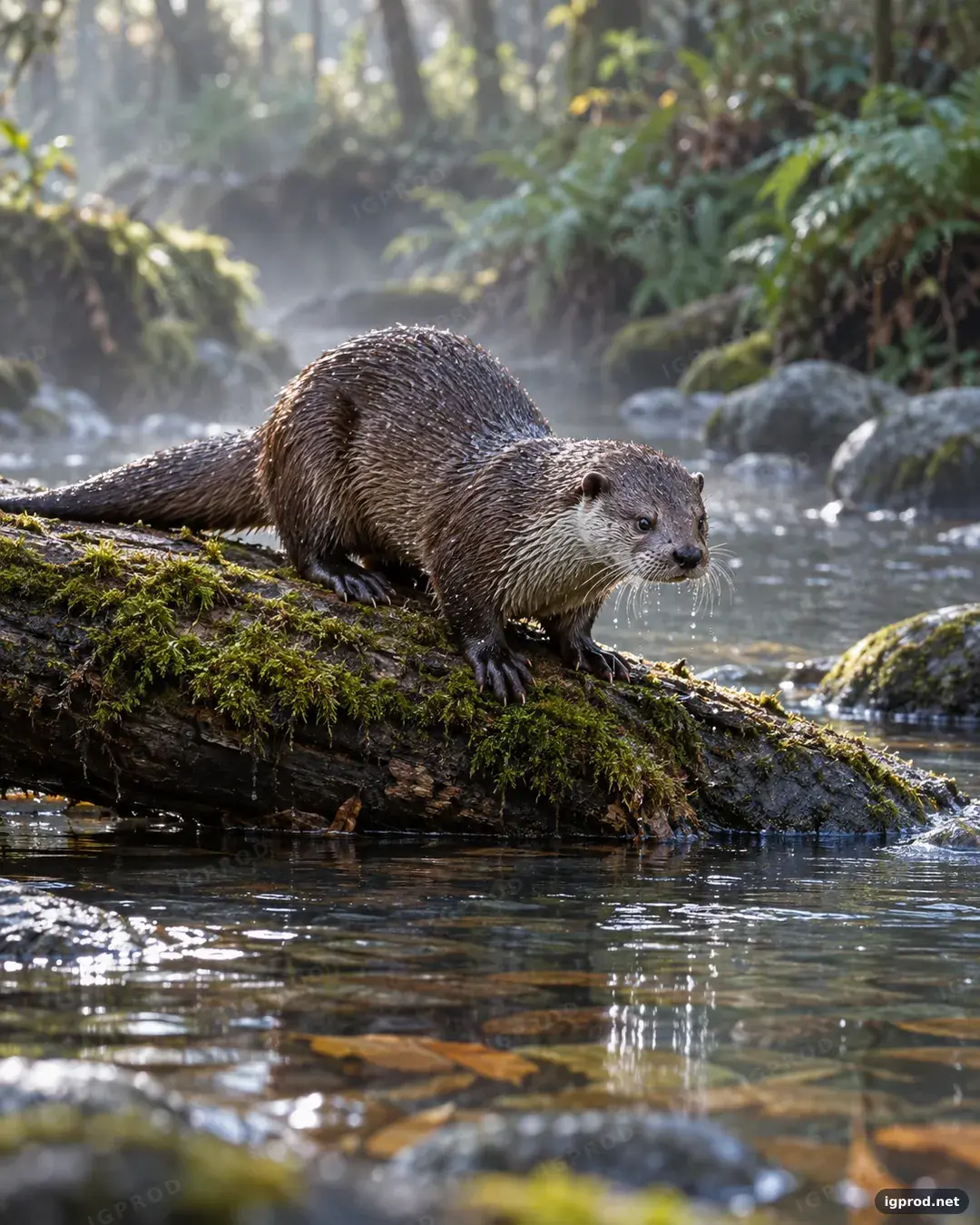
This AI image prompt makes a vertical wildlife photograph of one river otter on a mossy log above a forest stream. It suits image concepts that need a natural-looking animal and a softly blurred background. The recorded image follows the scene, but its visible lettering needs review and correction before use.
What appeared in the otter image
OpenAI's image model produced one wet otter on a mossy log. Its whiskers, rounded ears, front paws, and tail are visible, with stones, submerged leaves, ferns, and a softly blurred background around the stream. Repeated watermarks and a small website label spell “IGPROD” and “igprod.net,” despite the instruction to avoid text and logos. The composition is vertical; an exact 4:5 ratio cannot be confirmed visually.
How the mossy-log otter prompt directs the image
The opening sets a “vertical 4:5 canvas” and asks for a wildlife photograph. The subject line fixes the count at “One adult river otter” and places it in the “lower center,” then names the whiskers, ears, paws, and direction of its gaze. Those details give the model specific features to show rather than leaving the animal's pose open.
The setting puts a “quiet forest stream” beneath the log and adds stones, leaves, and ferns. “Cool early morning light” calls for droplets and mist, while “stream level” and “300 mm lens” define the camera viewpoint. The composition line asks for sharp eyes, a full tail, and a blurred far bank; the style line calls for “Natural colors” and “restrained contrast.”
There is no quoted text for the image to spell. The “Avoid” line excludes extra animals, people, text, logos, artificial colors, oversharpening, and distorted anatomy.
Mossy-log otter image prompt ready to copy
Create a photorealistic wildlife photograph on a vertical 4:5 canvas.
Subject: One adult river otter, about 90 centimeters long, crouches on a mossy log in the lower center; its wet whiskers, rounded ears and front paws are visible as it looks toward the water.
Setting or background: A quiet forest stream runs beneath the log, with smooth river stones, submerged leaves and soft green ferns along the far bank; no built structures appear.
Lighting: Cool early morning light filters through the canopy, catching individual droplets on the otter’s fur and a thin veil of mist above the stream.
Composition or camera: Shoot from stream level with a 300 mm lens; keep the otter’s eyes sharp, the full tail in frame and the far bank softly blurred.
Style: Natural colors, detailed fur and water texture, realistic reflections and restrained contrast.
Avoid: extra animals, people, text, logos, artificial colors, oversharpening and distorted anatomy.
Three ways to change the otter scene
For a tighter animal study, change “in the lower center” to “centered in a close portrait.” This gives the otter more visual weight; check whether the tail still fits, since the composition line asks for it.
For a clearer view of the habitat, change “300 mm lens” to “a wider view of the stream.” This puts more emphasis on the stones, submerged leaves, and far-bank ferns named in the setting line.
For a scene without mist, change “a thin veil of mist above the stream” to “clear air above the stream.” Keep the early morning light and droplets if you still want the wet fur to catch the light.
Check and fix an otter image result
Inspect visible lettering before using an image. If your result has unwanted text, remove it in your image workflow or generate another result and check again.
Check the exported dimensions when an exact canvas ratio matters. Also compare the eyes, full tail, paws, and animal count with the prompt. One recorded generation cannot establish how another will turn out.
Adapt the mossy-log prompt to another subject
Replace “One adult river otter” with your subject, then revise the size, pose, visible features, and gaze in the same sentence. Change the log, stream, and far-bank details to suit the new setting. Finally, make the camera and “Avoid” lines match what the finished image needs, and inspect the generated result against those instructions.
Choose your next image prompt
Browse IGPROD image prompts for another subject, or use the fruit and nut chocolate bar ad prompt for a product scene. Share your own otter result in the comments and note which details appeared.