
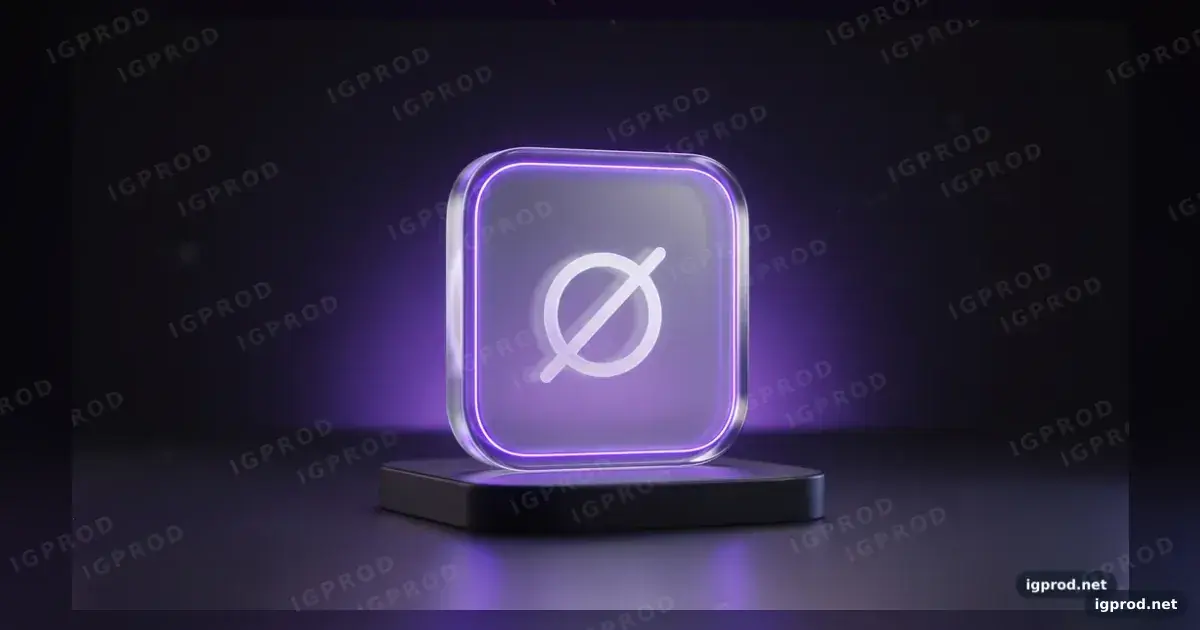
This image prompt makes a centered 3D mockup of a glass-like logo tile on a dark pedestal, with a violet edge glow and halo. It suits product, marketing, and design images that need a simple fictional mark rather than a real brand. One Gemini (Nano Banana) run produced the requested composition. run
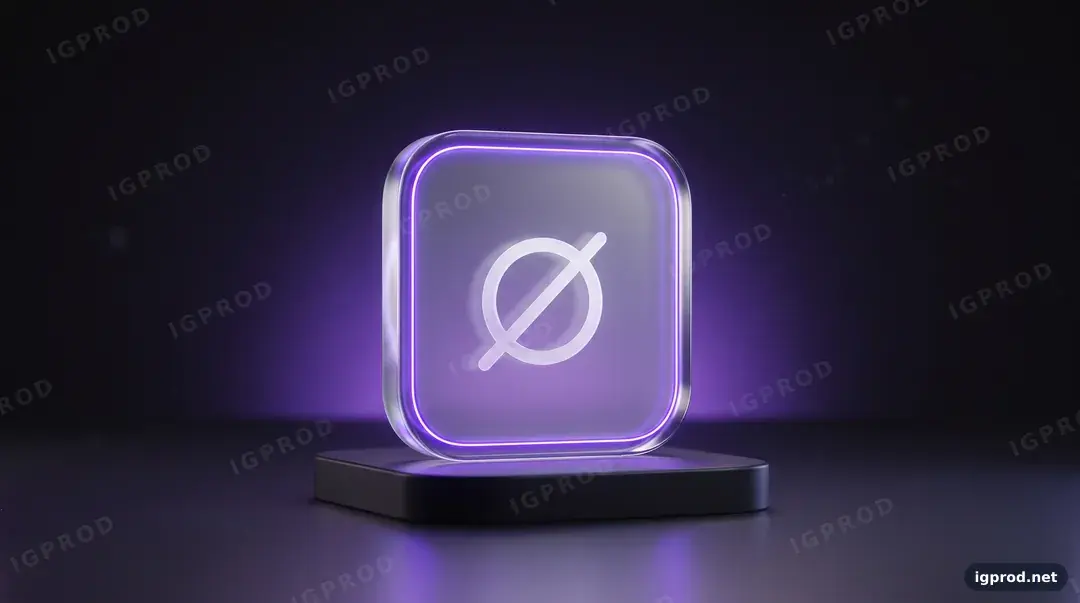
What the glass logo tile run produced
The result followed the wide composition, upright rounded-square tile, dark pedestal, white ring with a diagonal line, violet edge glow, and background halo. It also kept the tile centered and showed no people. The miss was text: repeated “IGPROD” watermarks and “igprod.net” appeared despite the request to avoid text. run
How the tile prompt controls the scene
“Wide 16:9” sets the canvas, while “photorealistic 3D” names the intended rendering. The singular “rounded-square acrylic tile” and “small dark pedestal” establish the subject and its count; the ring crossed by a diagonal line describes the mark by shape. These are the details to compare with the output before adjusting decorative choices. run
“Near-black gradient” places the tile against a simple setting, and “soft violet halo” and “electric violet” specify where the color belongs. “Cinematic studio light” and “shallow depth of field” set the lighting and focus; “minimal, centered” sets the style and placement. The quoted “ORBIT” labels the fictional mark, while the “Avoid” line lists unwanted people, text, real logos, extra objects, and distortion. run
Glass logo tile prompt ready to copy
Create a photorealistic 3D brand mockup, wide 16:9.
Subject: a rounded-square acrylic tile with frosted glass and polished edges, standing upright on a small dark
pedestal, with a simple fictional logo inside it: a white ring crossed by a short diagonal line ("ORBIT" mark).
The tile glows softly from inside; a thin neon edge light in electric violet.
Background: near-black gradient with a soft violet halo behind the tile.
Lighting: cinematic studio light, gentle bloom, soft rim light, shallow depth of field.
Style: minimal, centered, premium product visualization.
Avoid: hands, people, text, real company logos, extra objects, distorted tile.
Three edits for a different tile look
For a cooler accent, change “electric violet” to “icy blue” and “soft violet halo” to “soft blue halo.” The requested look becomes a blue edge and matching background glow; check the output rather than assuming both changes will appear.
For a warmer display, change “electric violet” to “amber” and “soft violet halo” to “soft amber halo.” This keeps the tile and pedestal brief while requesting a different color scheme.
For a sharper material treatment, change “frosted glass” to “clear glass” and “gentle bloom” to “subtle bloom.” This asks for a more transparent tile and less glow around its lights.
Check the tile for unwanted text and drift
Inspect the tile, background, and edges before using the image. If lettering appears and you don’t need it, try removing the quoted “ORBIT” label while retaining the geometric description of the mark. That edit is a suggested fix, not a tested result.
If the tile shape, pedestal, or glow drifts, restore the corresponding subject or lighting words before changing the rest of the scene. Compare each new result against the requested upright tile, single pedestal, mark, edge light, and halo; image models can vary between runs. run
Make the tile prompt fit your subject
Start with the copied prompt and replace “a white ring crossed by a short diagonal line” with a short description of your own mark’s visible shapes. Then decide whether the upright tile and pedestal still suit that mark before changing the material or setting. This gives you one subject change to assess against the recorded composition.
Verification: One Gemini (Nano Banana) run is recorded; the suggested edits and fixes were not tested. run
Try another product prompt and share your result
For a different product composition, try the copper smartphone launch poster prompt or the cola can splash ad prompt. You can also browse IGPROD image prompts. Share your glass logo tile result in the comments, including any unwanted text you had to fix.
How this image was made: IGPROD ran the prompt above in Gemini (Nano Banana) on 2026-10-15. The image shown is that run's result; IGPROD only resized, compressed and watermarked it. Image models vary between runs, so your result will differ in its details.
More image prompts
- Botanical utility app icon set prompt: a set of matching icons instead of one tile.
Leave a comment
Your email address will not be published. Required fields are marked *