
SearXNG is a free metasearch engine: it sends your query to search engines such as DuckDuckGo, Google and Brave, merges what they return and shows it without ads, profiles or tracking. On your own server it also gives scripts and AI tools a private search API.
This guide installs SearXNG with the official Docker Compose files, fixes the problems a fresh 2026 install hits (engine errors at start, no results, the JSON API refused with 403), makes it your browser's search engine and connects it to AI agents through an MCP server.
We tested on 14 November 2026 with SearXNG 2026.11.14-a7128d5d1 and Valkey 9.1.3 on a Linux machine with Docker, and with the MCP server mcp-searxng 2.10.1. Every output and screenshot below comes from that test.
Quick answer: SearXNG in five steps
In plain words: SearXNG is your own private search page. It asks search engines such as DuckDuckGo, Google and Brave for you, merges their results and shows them without ads or tracking. The searches leave from your server, not from your browser.
- Make a
searxngfolder with acore-configfolder inside, download SearXNG's officialdocker-compose.ymland.env.exampleinto it, and copy.env.exampleto.env. - Start it with
docker compose up -dand openhttp://<server-address>:8080. - Add a
contact_urltocore-config/settings.ymland rundocker compose restart core: without it, the Wikipedia, Wikidata and OpenStreetMap engines do not load. - No results? Turn on the Bing engine, as shown below.
- Make SearXNG your browser's search engine. For scripts and AI agents, add
jsontosearch.formats.
Each step has a full, tested section below, with the outputs you should see.
What you need
- Docker with the Compose plugin. Our guide to installing Docker Compose on Ubuntu covers it.
- About 330 MB of disk for the two images: 276 MB for SearXNG and 45.2 MB for Valkey in our test.
- Very little RAM: at rest, SearXNG used 139 MiB and Valkey 6.5 MiB.
- A free port, 8080 by default.
Many older tutorials clone the searxng/searxng-docker repository. It has been archived since March 2026; the official files now live in the container folder of the main SearXNG repository, and this guide uses them.
The official Docker Compose file for SearXNG
Create a folder with a core-config folder inside, and download the two files:
mkdir -p searxng/core-config
cd searxng
curl -fsSL -O https://raw.githubusercontent.com/searxng/searxng/master/container/docker-compose.yml \
     -O https://raw.githubusercontent.com/searxng/searxng/master/container/.env.example
cp .env.example .env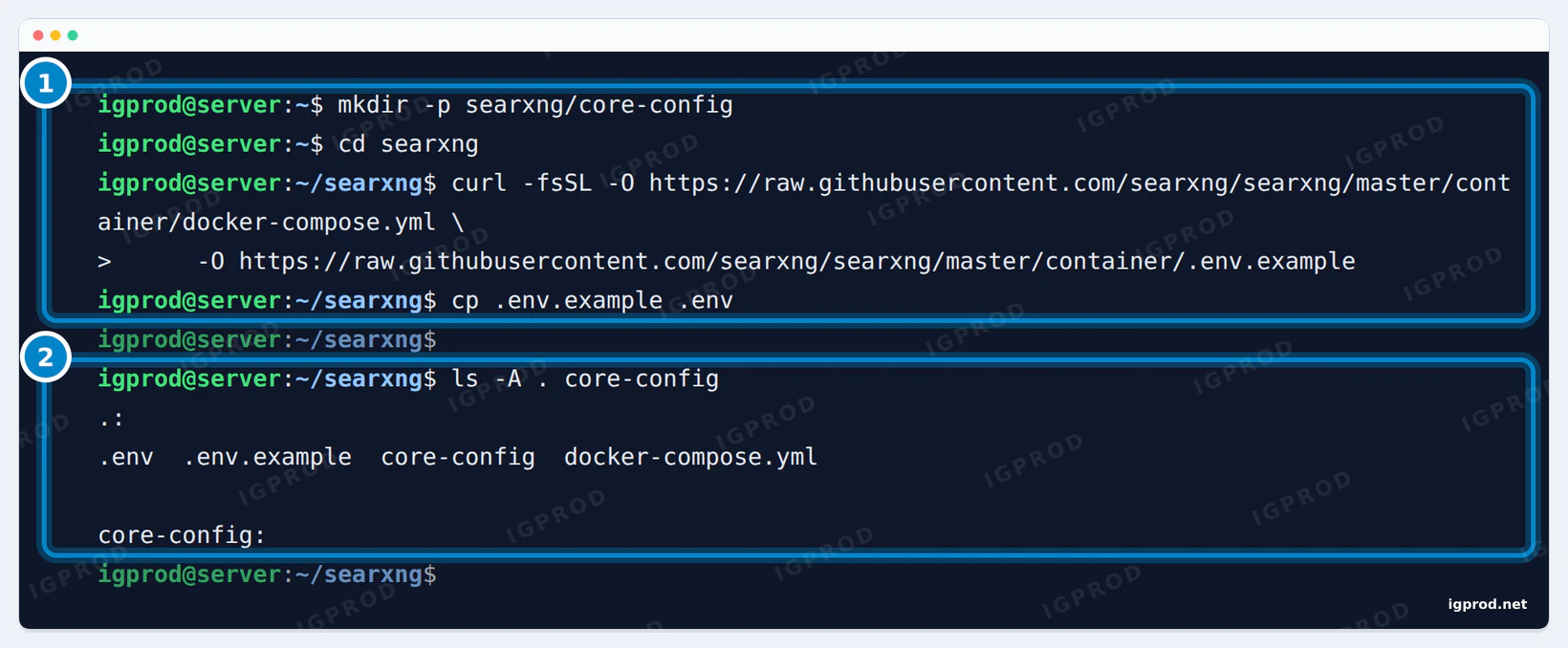
.env.example. 2: what you should have: .env, .env.example, docker-compose.yml and an empty core-config.This is the docker-compose.yml we used, unchanged:
# Read the documentation before using the `docker-compose.yml` file:
# https://docs.searxng.org/admin/installation-docker.html

name: searxng

services:
  core:
    container_name: searxng-core
    image: docker.io/searxng/searxng:${SEARXNG_VERSION:-latest}
    restart: always
    ports:
      - ${SEARXNG_HOST:+${SEARXNG_HOST}:}${SEARXNG_PORT:-8080}:${SEARXNG_PORT:-8080}
    env_file: ./.env
    volumes:
      - ./core-config/:/etc/searxng/:Z
      - core-data:/var/cache/searxng/

  valkey:
    container_name: searxng-valkey
    image: docker.io/valkey/valkey:9-alpine
    command: valkey-server --save 300 1 --save 60 1000 --loglevel warning
    restart: always
    volumes:
      - valkey-data:/data/

volumes:
  core-data:
valkey-data:coreis SearXNG itself. It listens on port 8080 and reads its settings from./core-config.valkeyis Valkey, the open source Redis fork. SearXNG keeps the data of its limiter (bot protection) there.- The two named volumes keep SearXNG's cache and Valkey's data when you recreate the containers.
All lines of .env start commented out. We set two of them:
SEARXNG_VERSION=2026.11.14-a7128d5d1
SEARXNG_HOST=127.0.0.1
.env, lines 9 and 12.SEARXNG_VERSION pins a dated image tag, so an update happens only when you change it; without it you get latest. SEARXNG_HOST chooses the address SearXNG listens on: 127.0.0.1 keeps it on the server itself, as in our test. Leave that line commented out to reach SearXNG from the other devices on your network. Docker Compose 2.40 then prints The "SEARXNG_HOST" variable is not set. Defaulting to a blank string. with every command: that is expected, and SearXNG listens on every address, as the browser test below shows.
If docker compose up -d is new to you, our guide to docker compose up covers detached mode and the common start errors.
Start SearXNG
$ docker compose up -d
 Network searxng_default  Creating
 Network searxng_default  Created
 Volume "searxng_valkey-data"  Creating
 Volume "searxng_valkey-data"  Created
 Volume "searxng_core-data"  Creating
 Volume "searxng_core-data"  Created
 Container searxng-valkey  Creating
 Container searxng-core  Creating
 Container searxng-valkey  Created
 Container searxng-core  Created
 Container searxng-core  Starting
 Container searxng-valkey  Starting
 Container searxng-core  Started
Container searxng-valkey Started$ docker compose ps
NAME IMAGE COMMAND SERVICE CREATED STATUS PORTS
searxng-core docker.io/searxng/searxng:2026.11.14-a7128d5d1 "/usr/local/searxng/…" core 12 seconds ago Up 8 seconds 127.0.0.1:8080->8080/tcp
searxng-valkey docker.io/valkey/valkey:9-alpine "tini -- docker-entr…" valkey 12 seconds ago Up 8 seconds 6379/tcpOur SEARXNG_HOST line explains the 127.0.0.1:8080 in the ports column. Valkey publishes no port: only SearXNG talks to it. On the first start, SearXNG writes its settings.yml and logs a few errors (excerpt):
searxng-core  | SearXNG 2026.11.14-a7128d5d1
searxng-core  | ... "/etc/searxng/settings.yml" does not exist, creating from template...
searxng-core  | [INFO] Listening at: http://[::]:8080
...
searxng-core  | 2026-11-14 19:02:59,236 ERROR:searx.engines: (PID 628) ahmia: can't register engine (loading engine failed)
searxng-core  | 2026-11-14 19:02:59,242 ERROR:searx.engines.wikipedia: wikipedia engine requires general.contact_url (SEARXNG_CONTACT_URL)
searxng-core  | 2026-11-14 19:02:59,242 ERROR:searx.engines: (PID 628) wikipedia: engine setup was not successful
searxng-core  | 2026-11-14 19:02:59,242 ERROR:searx.engines: (PID 628) wikipedia: can't register engine (loading engine failed)
searxng-core  | 2026-11-14 19:02:59,542 ERROR:searx.engines: (PID 628) torch: can't register engine (loading engine failed)
searxng-core  | 2026-11-14 19:02:59,589 WARNING:searx.botdetection.config: missing config file: /etc/searxng/limiter.toml
The new settings.yml is short. It loads the default settings and adds a random secret key (cut here). It belongs to the user ID 977 of the container, so edit it with sudo:
$ TZ=UTC ls -ln core-config && sed -E "s/(secret_key: \")[^\"]*/\1<random, cut>/" core-config/settings.yml
total 4
-rw-r--r-- 1 977 977 205 Nov 14 19:02 settings.yml
# Read the documentation before extending the defaults:
# https://docs.searxng.org/admin/settings/

use_default_settings: true

server:
  secret_key: "<random, cut>"
  image_proxy: true
A quick health check from the server returns 200:
$ curl -sS -o /dev/null -w "%{http_code}\n" http://127.0.0.1:8080/healthz
200
Open http://<server-address>:8080 in a browser. We gave the server the name search.home.arpa on our network:
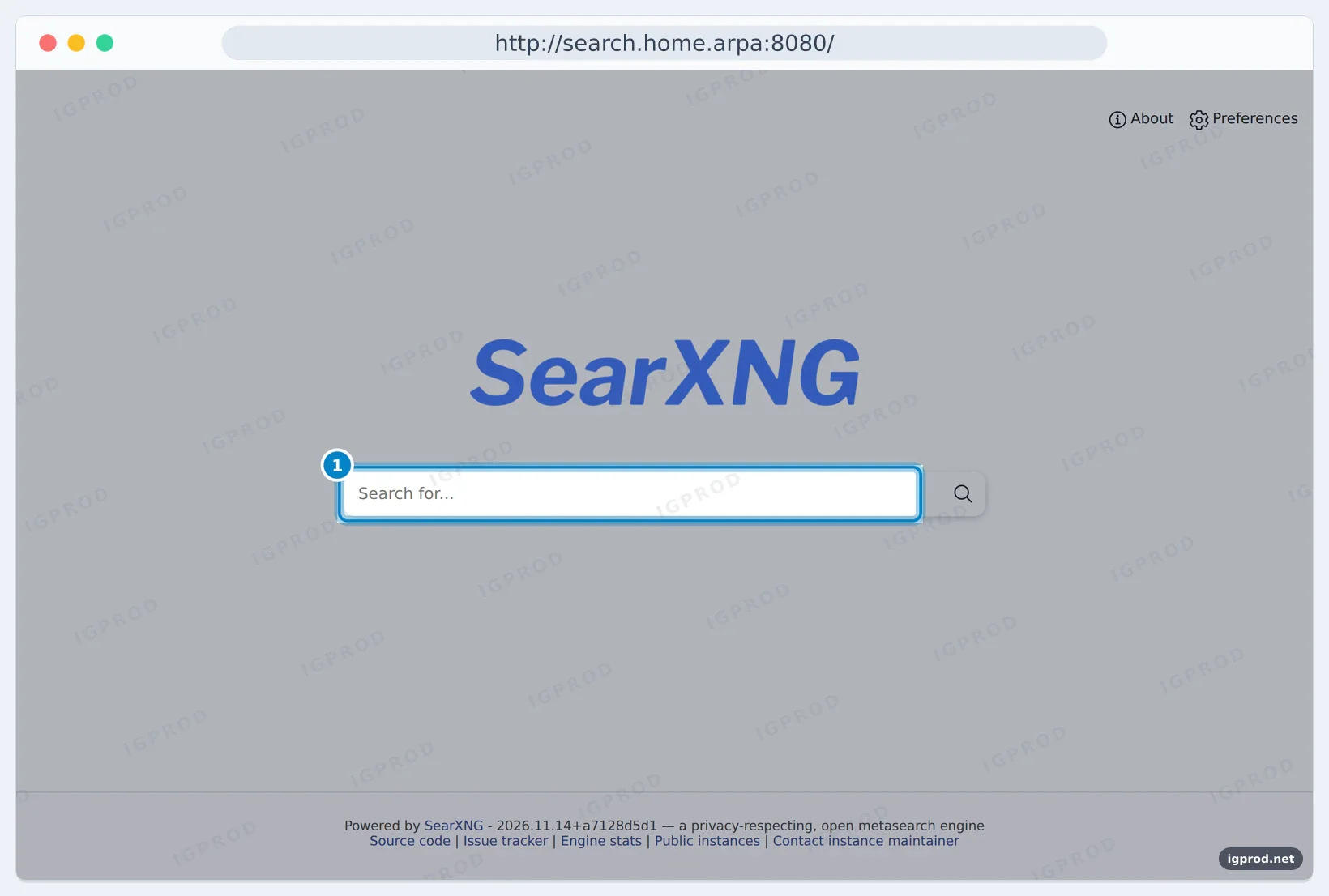
Fix the start errors: Wikipedia needs a contact URL
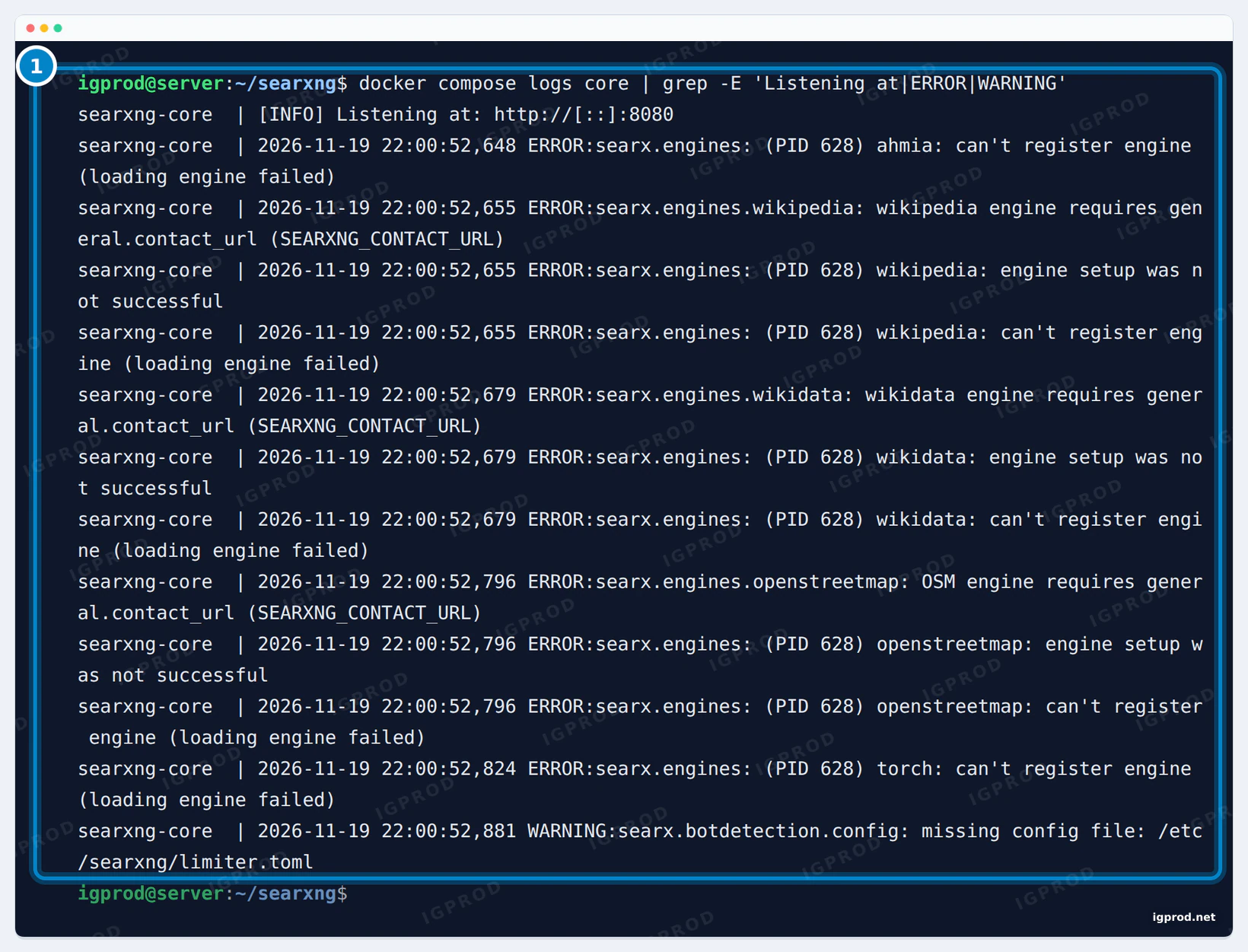
general.contact_url.Wikimedia asks every program that queries Wikipedia for a way to contact its owner. SearXNG 2026.11 therefore refuses to load the wikipedia, wikidata and openstreetmap engines until general.contact_url is set (or the SEARXNG_CONTACT_URL variable). At the end of core-config/settings.yml, we added these lines; the second part turns on the JSON API, which the API section below needs:
general:
  contact_url: "mailto:[email protected]"

search:
  formats:
    - html
- jsondocker compose restart core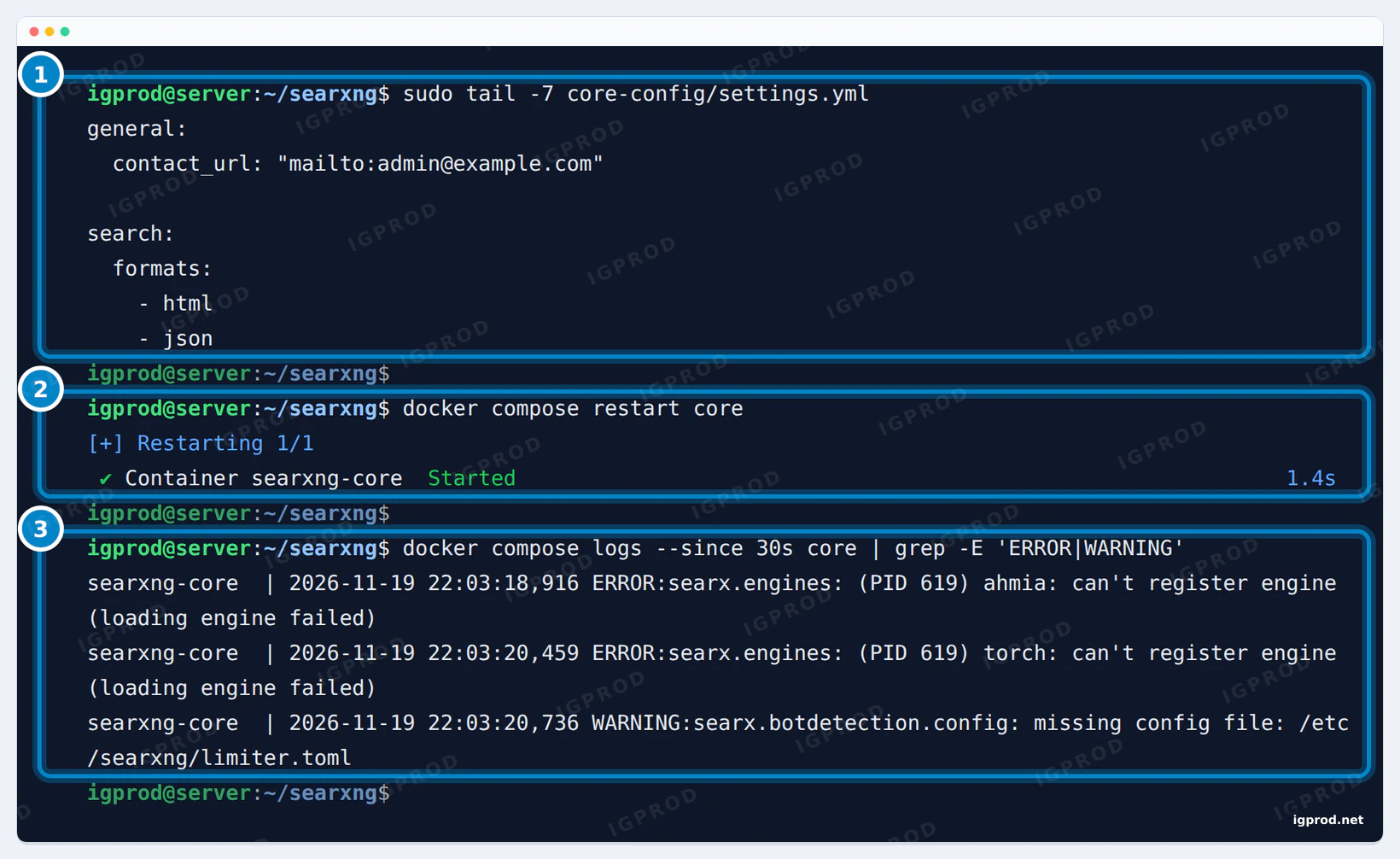
settings.yml. 2: the restart. 3: only ahmia, torch and the limiter.toml warning are left.After the restart, only two engine errors were left:
searxng-core  | [INFO] Listening at: http://[::]:8080
searxng-core  | 2026-11-14 19:03:35,800 ERROR:searx.engines: (PID 619) ahmia: can't register engine (loading engine failed)
searxng-core  | 2026-11-14 19:03:35,896 ERROR:searx.engines: (PID 619) torch: can't register engine (loading engine failed)
searxng-core  | 2026-11-14 19:03:35,923 WARNING:searx.botdetection.config: missing config file: /etc/searxng/limiter.toml
ahmia and torch search the Tor network and need a Tor proxy, so you can ignore them. The limiter.toml warning matters only once you turn the limiter on for a public instance.
Search with SearXNG
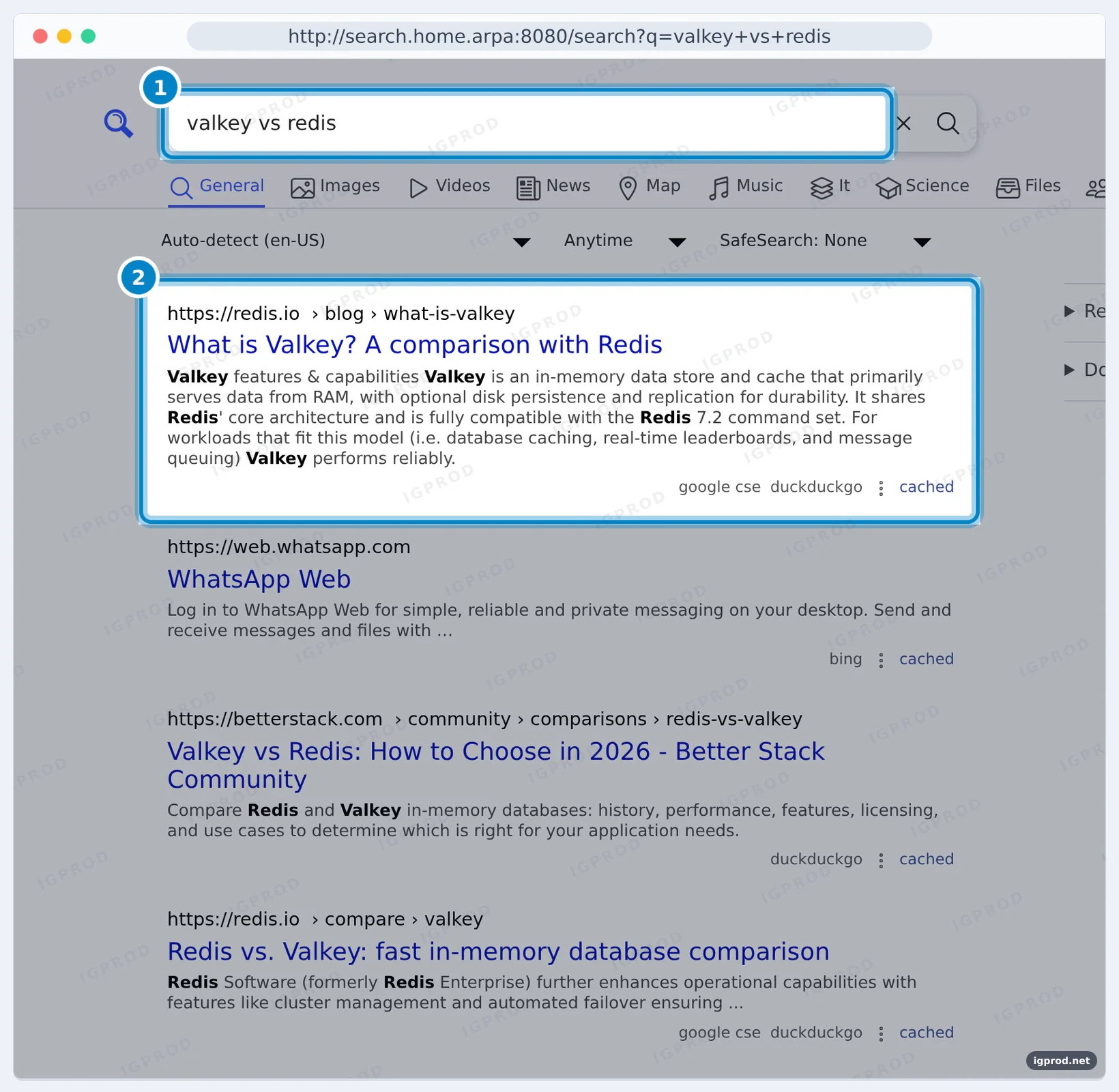
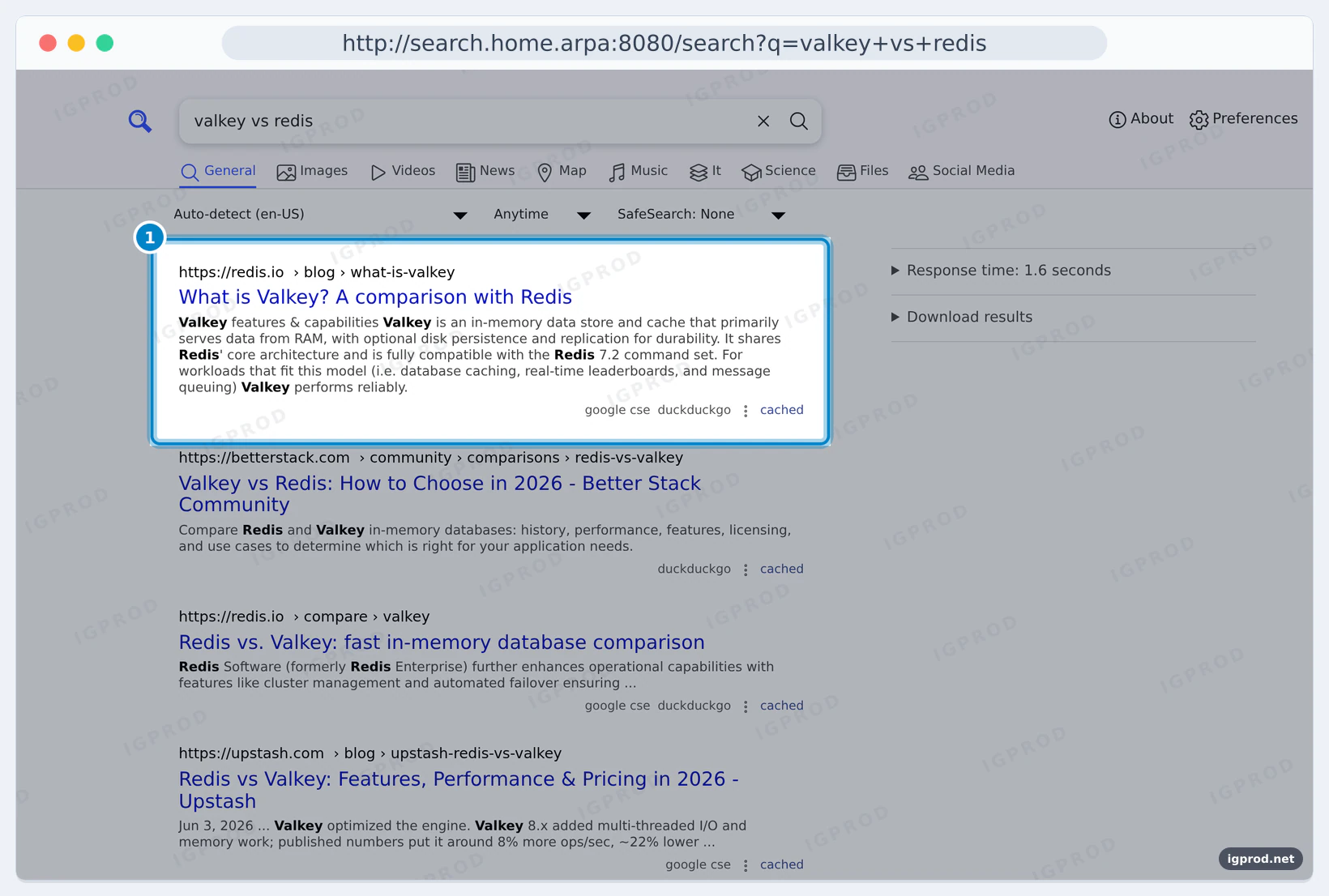
Type a query and SearXNG asks its engines at the same time. Each result shows which engines returned it:
Make SearXNG your browser's search engine
SearXNG describes itself with OpenSearch, which browsers such as Firefox read to offer adding it as a search engine:
$ curl -sS -H "Host: search.home.arpa:8080" http://127.0.0.1:8080/opensearch.xml | grep -E "ShortName|template" | sed -E "s/^ +//"
<ShortName>SearXNG</ShortName>
<Url rel="results" type=text/html method="GET" template="http://search.home.arpa:8080/search?q={searchTerms}"/>
<Url rel="suggestions" type=application/x-suggestions+json method="GET" template="http://search.home.arpa:8080/autocompleter?q={searchTerms}"/>
<Url rel="self" type=application/opensearchdescription+xml template="http://search.home.arpa:8080/opensearch.xml" />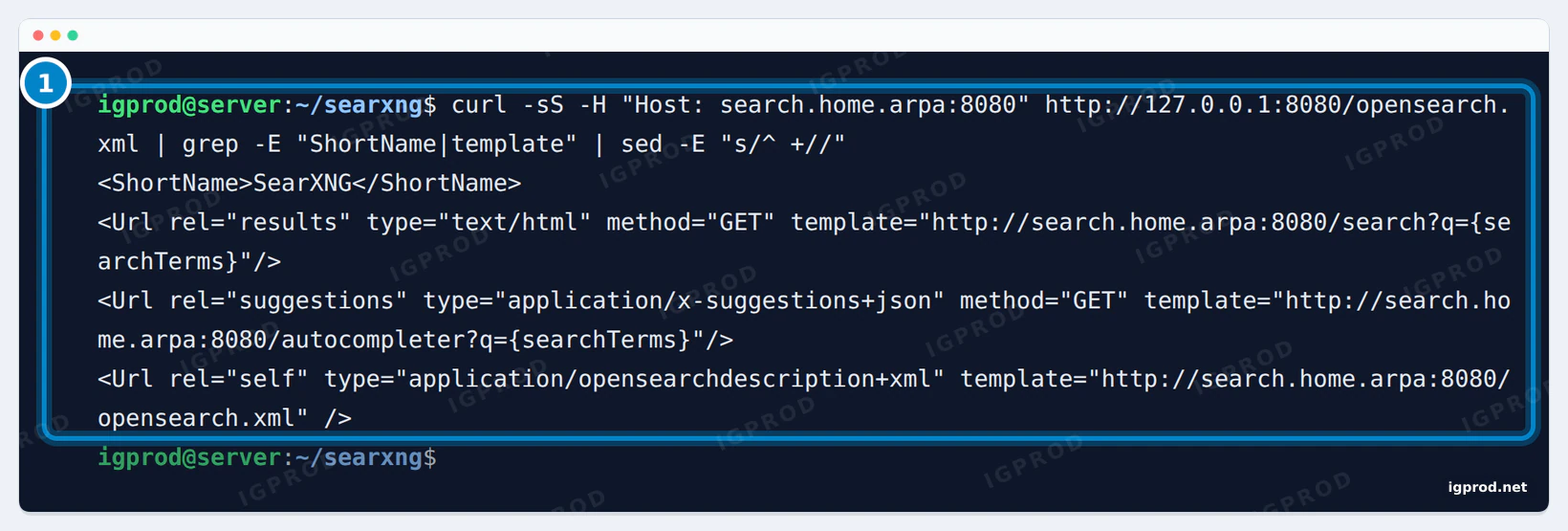
In Chrome, add it by hand: open Settings, then Search engine, then Manage search engines and site search. Next to Site search, click Add, and fill in a name, a shortcut and this query URL, where %s stands for your search terms: http://search.home.arpa:8080/search?q=%s. Use your own address and port.
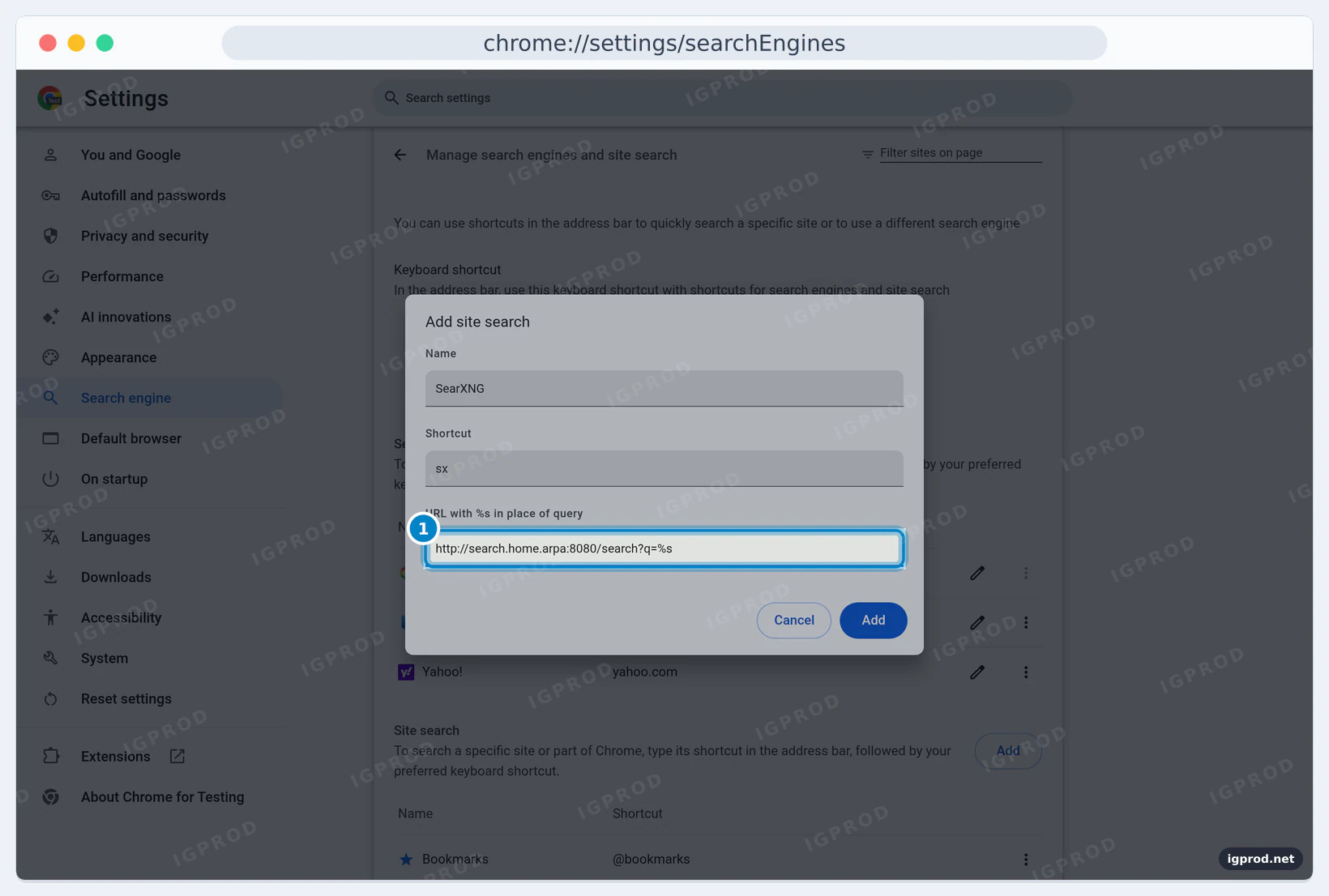
%s.Click Add. To use SearXNG for everything you type in the address bar, open the menu (the three dots) of its row and choose Make default.
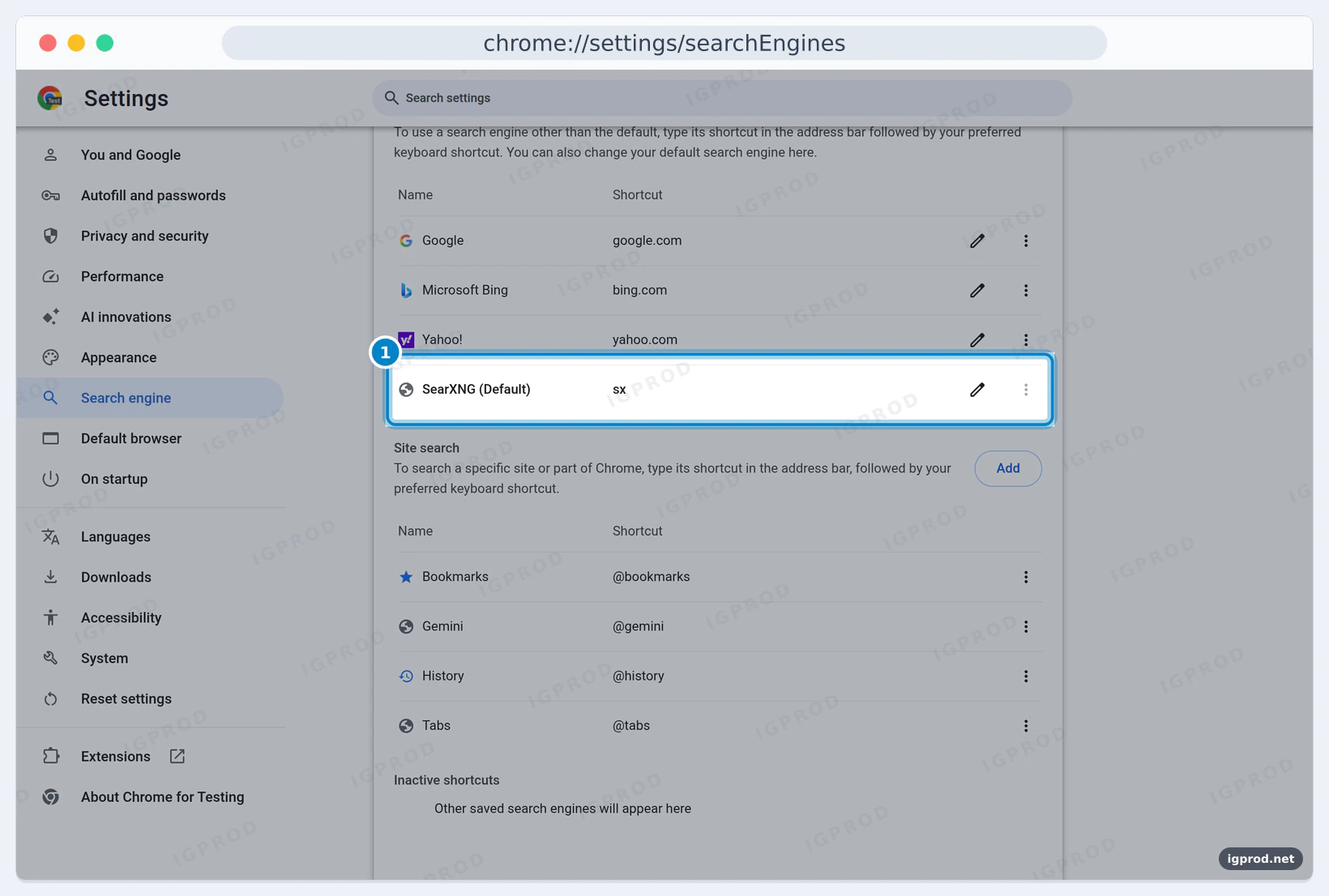
A search typed in the address bar now opens SearXNG:
SearXNG returns no results? Enable Bing
Our first query through the API came back empty. The answer lists the engines that failed:
HTTP 200, 2040 bytes, 2.996185s
query: docker compose | results: 0 | unresponsive: [["brave","too many requests"],["duckduckgo","CAPTCHA"],["google cse","timeout"]]
keys: query, results, answers, corrections, infoboxes, suggestions, unresponsive_engines
In the 2026.11 defaults, web results come from only three engines: DuckDuckGo, Google CSE and Brave. All three limit or block requests that look automated, so a home or server IP soon meets "too many requests", a CAPTCHA or a timeout. After such an error, SearXNG suspends the engine for a while. Preferences > Engines shows how each one is doing:
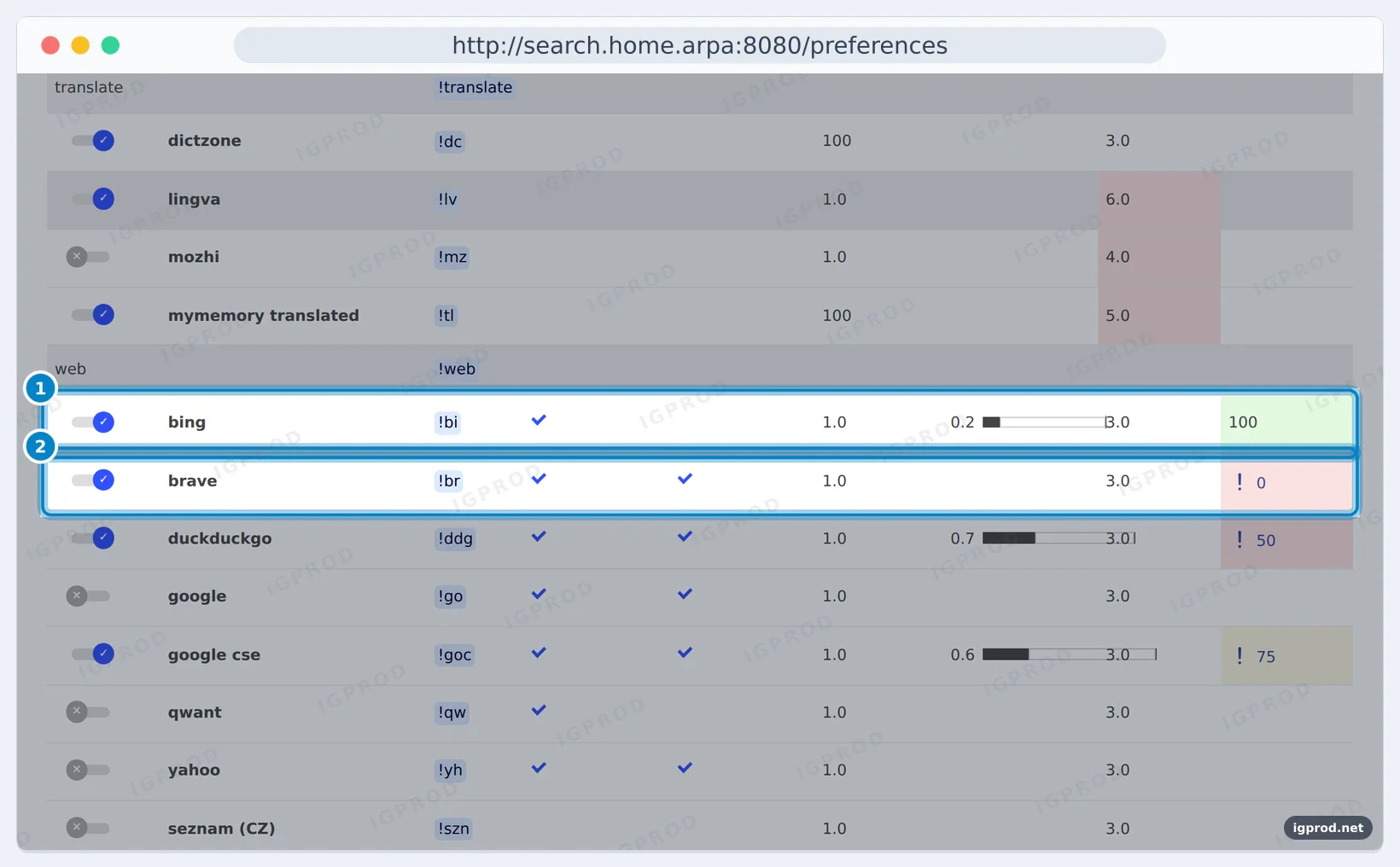
Bing is in SearXNG but switched off by default:
$ docker compose exec -T core grep -n -A3 "name: bing$" /usr/local/searxng/searx/settings.yml
519:  - name: bing
520-    engine: bing
521-    shortcut: bi
522-    disabled: true
We turned it on at the end of settings.yml and restarted the core service:
engines:
  - name: bing
    disabled: false
The next query returned 37 results from DuckDuckGo, Google CSE and Bing together (first five shown):
query: valkey vs redis | results: 37
unresponsive: [["brave","Suspended: too many requests"]]
- What is Valkey? A comparison with Redis | https://redis.io/blog/what-is-valkey/ | duckduckgo,google cse
- Redis vs. Valkey: fast in-memory database comparison | https://redis.io/compare/valkey/ | duckduckgo,google cse
- Valkey Documentation · Migration from Redis to Valkey | https://valkey.io/topics/migration/ | duckduckgo,google cse
- Redis OSS vs. Valkey - Difference Between Caches - AWS | https://aws.amazon.com/elasticache/redis/ | google cse
- Redis 8.0 vs. Valkey 8.1: A Deep Technical Comparison - Drag | https://www.dragonflydb.io/blog/redis-8-0-vs-valkey-8-1-a-technical-comparison | google cse
Right after a restart, the three default engines timed out once more, and Bing alone kept the page full:
results: 10 | by engine: {"bing":10} | unresponsive: [["brave","timeout"],["brave","timeout"],["duckduckgo","timeout"],["duckduckgo","timeout"],["google cse","timeout"],["google cse","timeout"]]Two more engines, Mojeek and Startpage, are marked inactive in the 2026.11 defaults (Startpage now answers with a proof-of-work CAPTCHA), so disabled: false alone does not bring them back. Bing also adapts its results to the country of your IP address: pick a language in the search bar, or pass language=en-US to the API, when you want results in English.
Use the SearXNG JSON API
Add format=json to a search URL and SearXNG answers in JSON. Before we added json to search.formats, it refused:
$ curl -sS -i "http://127.0.0.1:8080/search?q=docker+compose&format=json" | head -12
HTTP/1.1 403 Forbidden
content-type: text/html; charset=utf-8
...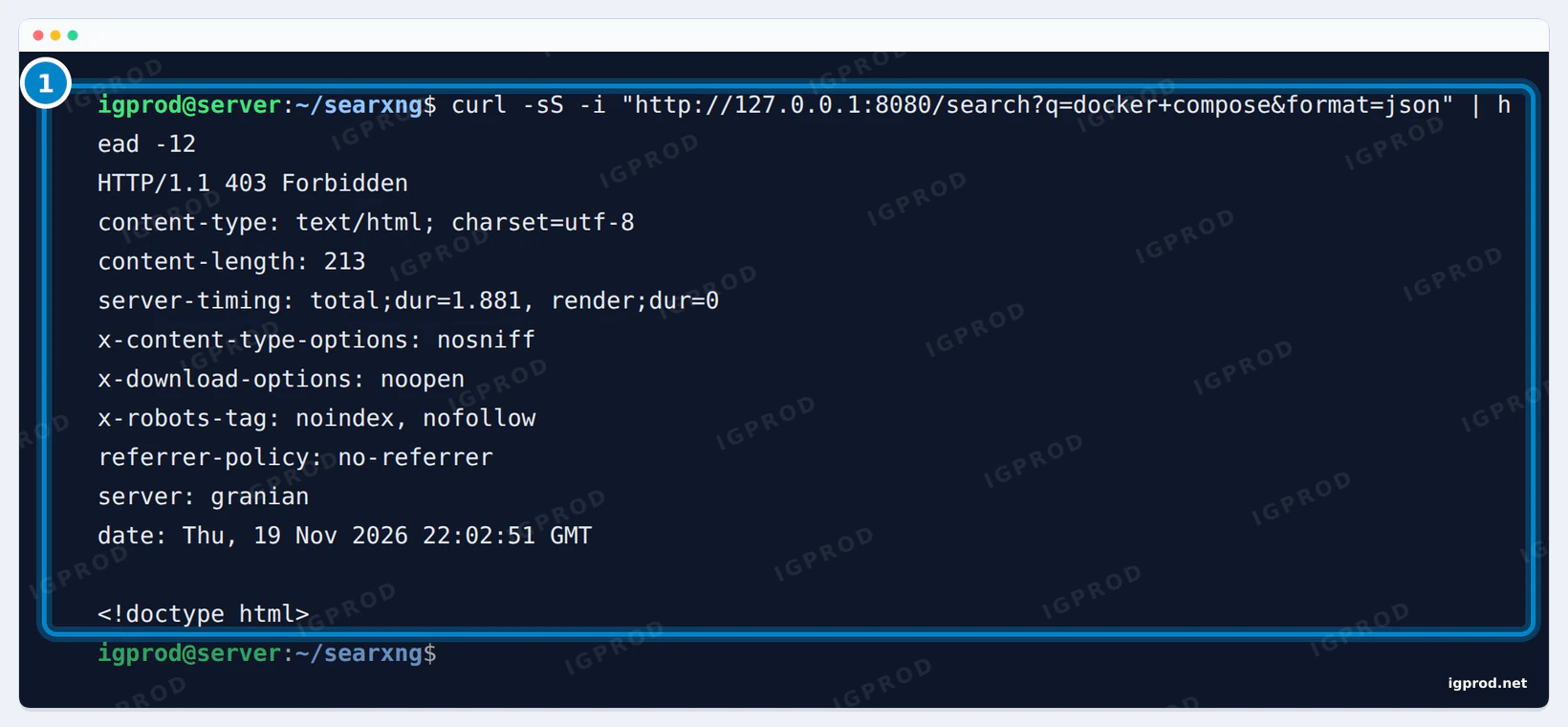
json is in search.formats: 403 Forbidden.With the format allowed, this request returns the results, the answers and the list of engines that failed:
curl -s "http://127.0.0.1:8080/search?q=valkey+vs+redis&format=json&language=en-US"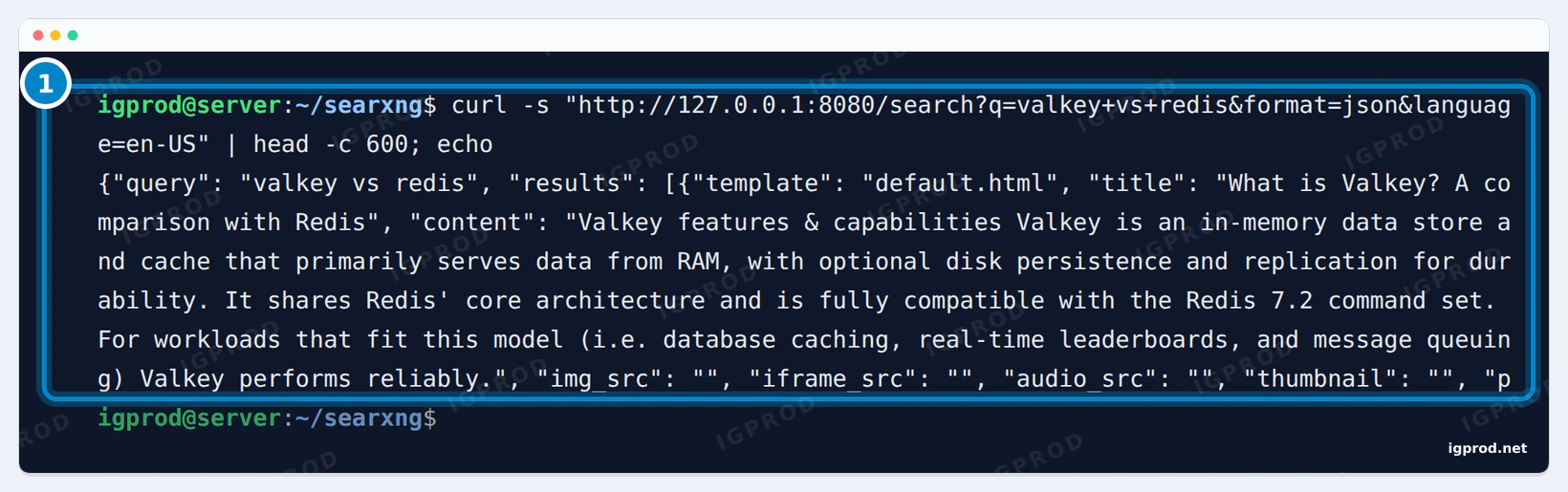
(The outputs in the section above are this request, summarized with a short Node.js script.) Keep the JSON format for your own network: on a public instance, it is what scrapers look for.
Web search in Open WebUI
Open WebUI can use SearXNG for web search through this JSON API. Its SearXNG documentation sets the query URL to http://searxng:8080/search?q=<query>; with the official file, the container is named searxng-core. Open WebUI's docs warn that without the JSON format its log shows "403 Client Error: Forbidden", the same refusal as above. To install Open WebUI with Ollama, see our Ollama and Open WebUI guide. We did not repeat the Open WebUI part in this test.
Connect SearXNG to AI agents with MCP
The Model Context Protocol (MCP) lets AI assistants such as Claude Desktop, Claude Code or Cursor call outside tools. The open source MCP server mcp-searxng gives them your SearXNG as a search tool. Most MCP clients take a block like this in their settings file; SEARXNG_URL is the address of your SearXNG itself:
{
  "mcpServers": {
    "searxng": {
      "command": "npx",
      "args": [
        "-y",
        "mcp-searxng"
      ],
      "env": {
        "SEARXNG_URL": "http://search.home.arpa:8080"
      }
    }
  }
}
We tested mcp-searxng 2.10.1 with the official MCP Inspector in CLI mode (2.15.0), from a Node.js container on the same Docker network as SearXNG (the first command opens a shell in it):
docker run -it --rm --network searxng_default node:24-alpine sh
npm install -g [email protected] @modelcontextprotocol/[email protected]
npx @modelcontextprotocol/inspector --cli -e SEARXNG_URL=http://searxng-core:8080 mcp-searxng --method tools/list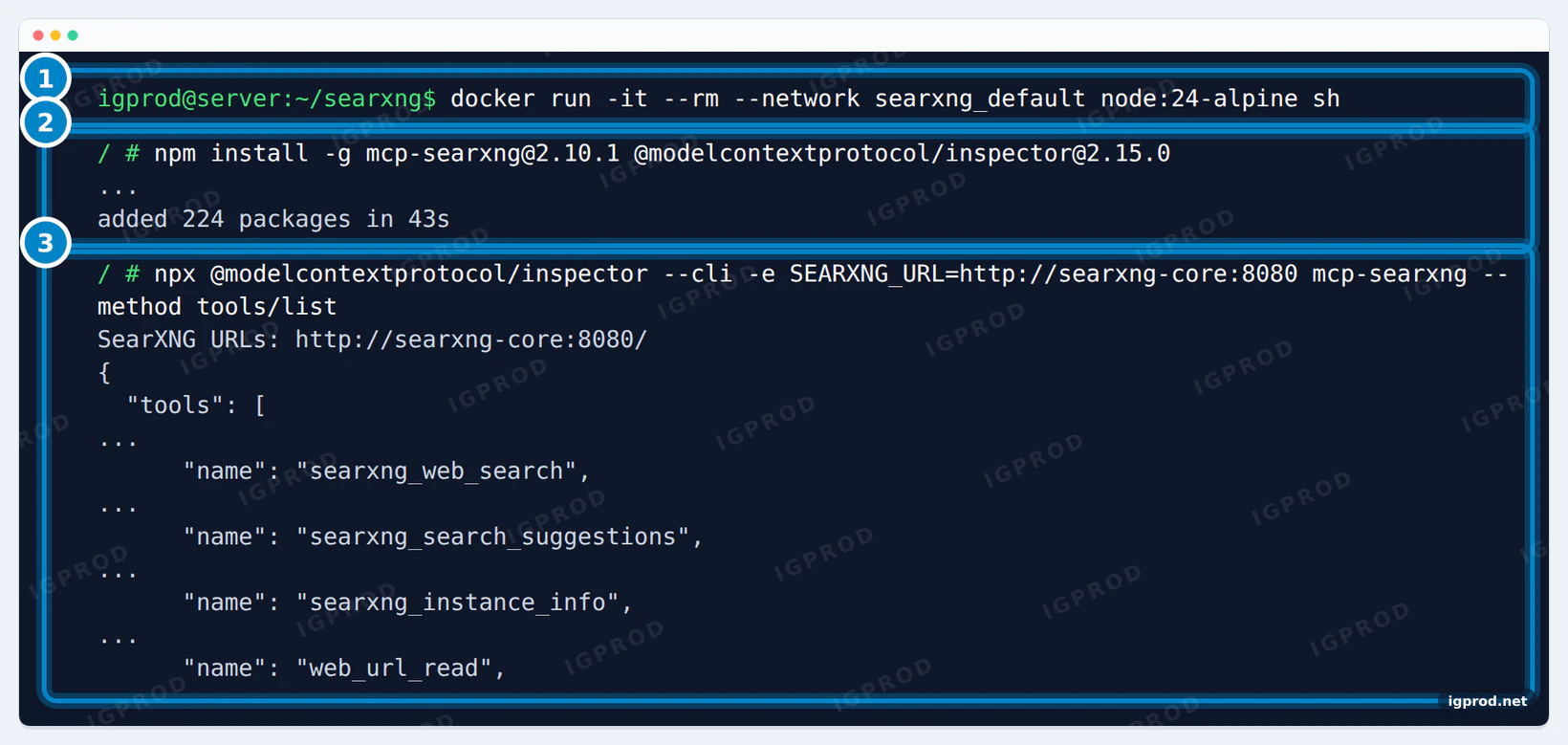
tools/list and its four tools.The server offers four tools (summarized, one line each):
SearXNG URLs: http://searxng-core:8080/
searxng_web_search - Searches the web using SearXNG and returns a list of results, each with a title, URL, and content snippet. | args: query, pageno, pages, time_range, language, safesearch, min_score, num_results, categories, engines, response_format, result_detail
searxng_search_suggestions - Returns autocomplete suggestions from the configured SearXNG instance. | args: query, language
searxng_instance_info - Discovers capabilities from all reachable configured SearXNG instances via /config, including categories.commo… | args: includeEngines, includeDisabled, category, refresh
web_url_read - Fetches a URL and returns readable content as markdown. | args: url, startChar, maxLength, section, paragraphRange, readHeadings
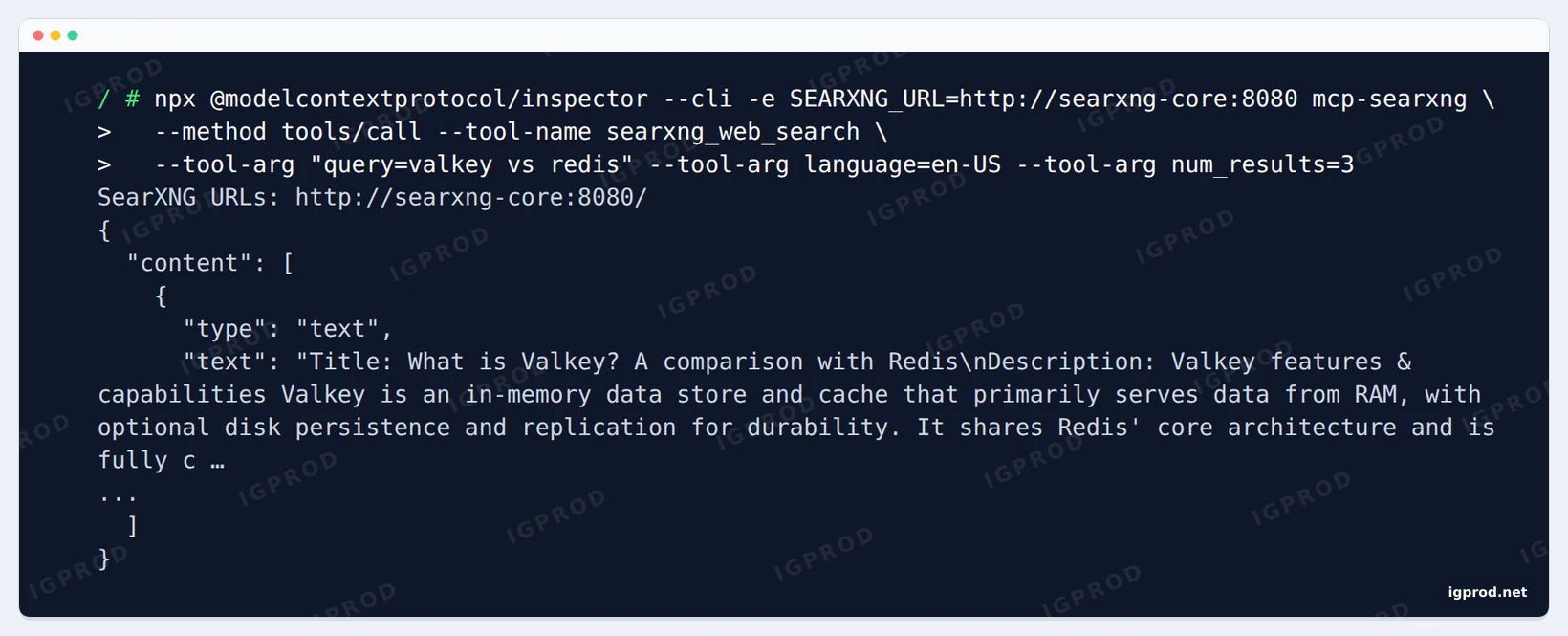
A real search through the searxng_web_search tool:
npx @modelcontextprotocol/inspector --cli -e SEARXNG_URL=http://searxng-core:8080 mcp-searxng \
  --method tools/call --tool-name searxng_web_search \
--tool-arg "query=valkey vs redis" --tool-arg language=en-US --tool-arg num_results=3SearXNG URLs: http://searxng-core:8080/
isError: false | chars: 1931
Title: What is Valkey? A comparison with Redis
Description: Valkey features & capabilities Valkey is an in-memory data store and cache that primarily serves data from RAM, with optional disk persistence and replication for durability. It shares Redis' core architecture and is fully compatible with the Redis 7.2 command set. For workloads that fit this model (i.e. database caching, real-time leaderboards, and message queuing) Valkey performs reliably.
URL: https://redis.io/blog/what-is-valkey/
Relevance Score: 3.000
Engines: google cse, duckduckgo
Category: general
...
Watch out: with json missing from search.formats, the same call fails with a message that points the wrong way:
SearXNG URLs: http://searxng-core:8080/
{"error":{"code":"tool_is_error","message":"Tool 'searxng_web_search' returned isError:true."}}
isError: true
🚫 SearXNG server Error (403): Authentication required or IP blocked
Nothing is blocked and no login is needed: add json to the formats and restart SearXNG.
Update SearXNG
SearXNG has no numbered releases: each change builds a new dated image, and several appeared on 14 November alone. Pick the newest tag on Docker Hub, put it in SEARXNG_VERSION in .env, then run:
docker compose pull
docker compose up -d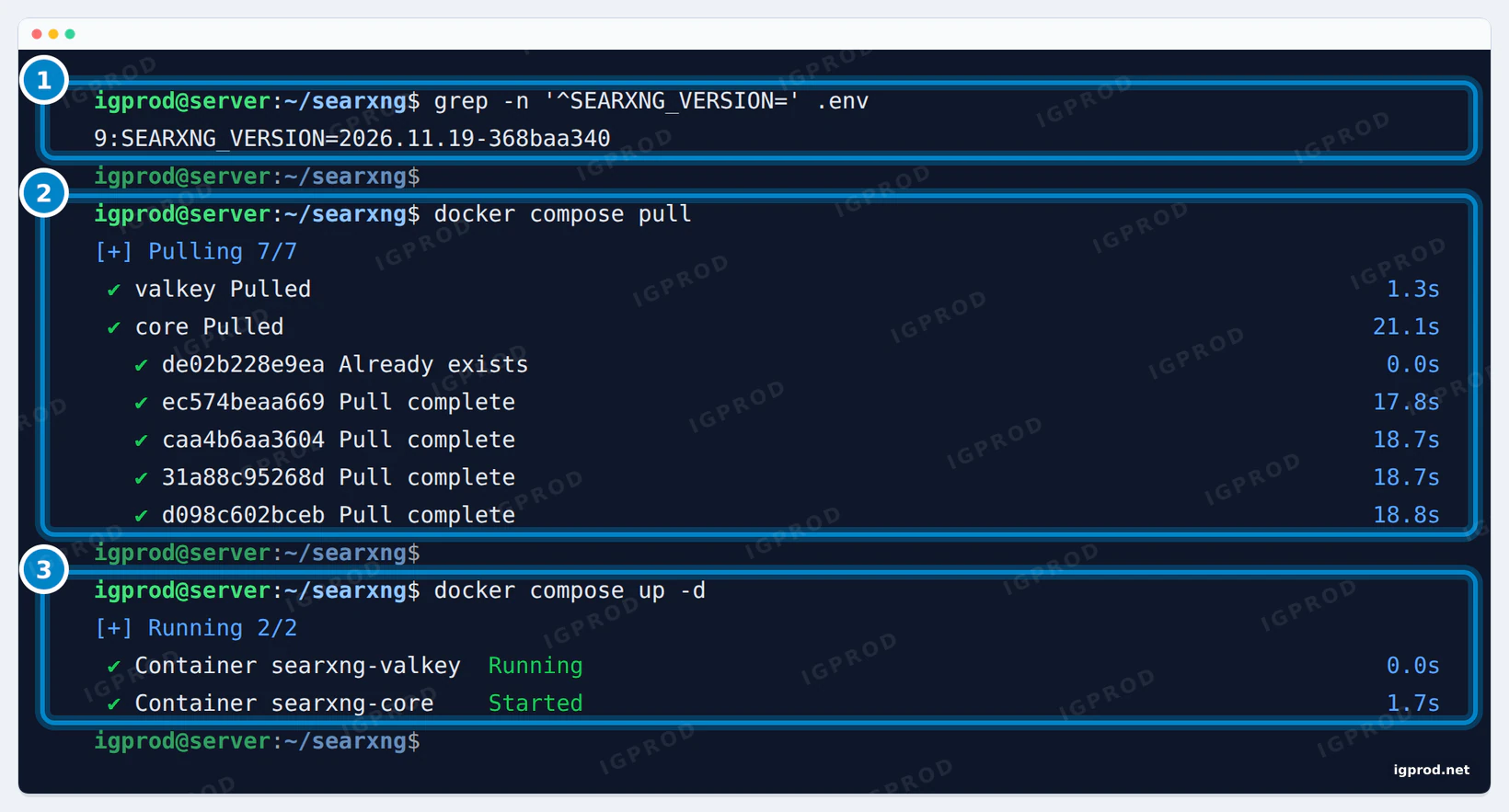
.env. 2: pull downloads it. 3: up -d starts SearXNG on the new image; Valkey keeps running.Your settings.yml stays in core-config. Read the SearXNG documentation from time to time as well: the official files moved once already.
Use SearXNG away from home
For your own use, a VPN such as WireGuard or Tailscale keeps SearXNG private and still reachable from your phone. A Cloudflare Tunnel can publish it without opening ports; our Cloudflare Tunnel guide shows the setup. A public instance needs the limiter (server.limiter: true and a limiter.toml) and a reverse proxy that sends the visitor's address. Without such a proxy, SearXNG logs this for every direct request:
searxng-core | 2026-11-14 19:03:17,010 ERROR:searx.botdetection: X-Forwarded-For nor X-Real-IP header is set!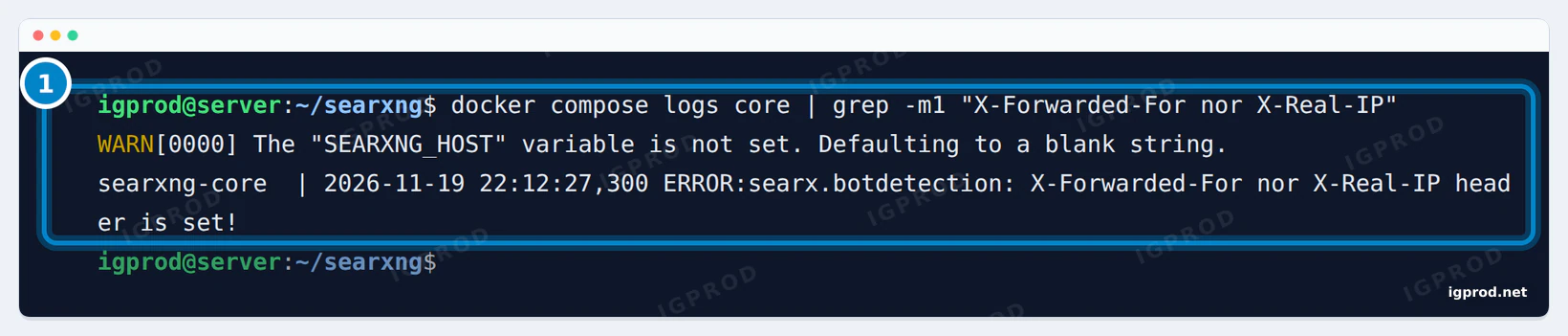
Behind Nginx Proxy Manager, our guide to the real IP behind Nginx Proxy Manager covers these headers. We did not test a public setup here.
SearXNG errors and fixes
"wikipedia engine requires general.contact_url (SEARXNG_CONTACT_URL)"
Set general.contact_url in settings.yml (an email link or a web page) and restart. The same fixes wikidata and openstreetmap.
403 Forbidden on format=json
The JSON format is off by default. Add json under search.formats, next to html.
No results: "too many requests", "CAPTCHA" or "timeout"
The engines blocked or did not answer your server. Enable Bing as shown above, wait for suspended engines to come back, and check Preferences > Engines for their reliability.
MCP: "SearXNG server Error (403): Authentication required or IP blocked"
In our test this came from the JSON format being off, not from a login or a block.
"X-Forwarded-For nor X-Real-IP header is set!"
A request reached SearXNG without a reverse proxy in front. It is harmless on a home network; a public instance needs a proxy that sets these headers.
"ahmia: can't register engine" and "torch: can't register engine"
These two engines search the Tor network. Without a Tor proxy they cannot load; ignore them.
Frequently asked questions
Is SearXNG free?
Yes. SearXNG is open source under the AGPL-3.0 license, and running your own instance costs nothing but a little RAM.
What port does SearXNG use?
Port 8080: the log says "Listening at: http://[::]:8080". Change it with SEARXNG_PORT in .env.
Does SearXNG need Valkey or Redis?
The official compose file includes Valkey, which stores the limiter's data. For a private instance it costs only a few MiB of RAM, so keep it.
Why does SearXNG return no results?
Usually its default engines (DuckDuckGo, Google CSE and Brave) blocked or rate-limited your IP. Enable Bing and check the engines' reliability in the preferences.
How do I enable the SearXNG JSON API?
Add json to search.formats in settings.yml and restart. Without it, every format=json request gets 403 Forbidden.
What are SearXNG instances?
Servers that run SearXNG. Public ones are listed on searx.space and in the footer link "Public instances"; they are shared with strangers and often limit the API, which is why many people host their own.
Can I run SearXNG on a Synology NAS?
Yes, Container Manager can run the same two files as a project. We did not repeat the test on a NAS.
Related guides
- Install Docker Compose on Ubuntu using Docker’s repository
- Docker Compose Up: Start Containers and Check They Work
- Fix Nginx Proxy Manager Real IP Behind Docker and Cloudflare
- How to create cloudflare tunnel and expose your services with-synology
- Self-Hosting for Beginners: Plan Your First Service
Sources
- SearXNG docs: Installation container
- SearXNG docs: general settings (contact_url)
- SearXNG docs: search settings (formats)
- SearXNG docs: engines settings
- SearXNG docs: Limiter
- SearXNG on GitHub
- searxng/searxng image tags on Docker Hub
- mcp-searxng on GitHub
- MCP Inspector
- Open WebUI docs: SearXNG
- searx.space: public SearXNG instances

Leave a comment
Your email address will not be published. Required fields are marked *